Change Job Order(Organization) of Placement
14-Aug-2026 · Wing Au Yeung
Available in other languages 中文
Available in other languages 中文
Why need to change the Job Order of a Placement?
When you create a Placement, you need to select a Job Order which defines the Organization/Department the staff belongs to. Sometimes you may create the Placement with the wrong Job Order (i.e. wrong organization) and need to change it.
Which approach should I use?
| Scenario | Recommended Approach |
|---|---|
| Placement just created, no payroll / leave / timesheet records yet | Delete and recreate the Placement, or use Change Job Order (Admin User only) |
| Admin quick fix (movements will be reset to top-level company) | Change Job Order (Admin User only) |
1. Delete and recreate the Placement
If the Placement was just created and there are NO payroll, leave, or timesheet records, you can delete the Placement and create a new one with the correct Job Order.
- Go to Associate -> Placement -> Find the "gear" on the right-hand side and you can see the "Delete" button

- Go to Associate -> Placement -> Add New to create a new Placement with the correct Job Order
2. Change Job Order (Admin only)
‼️ PROCEED WITH CAUTION
- All movement will be set to top level company
- Payroll and Tax records are not considered
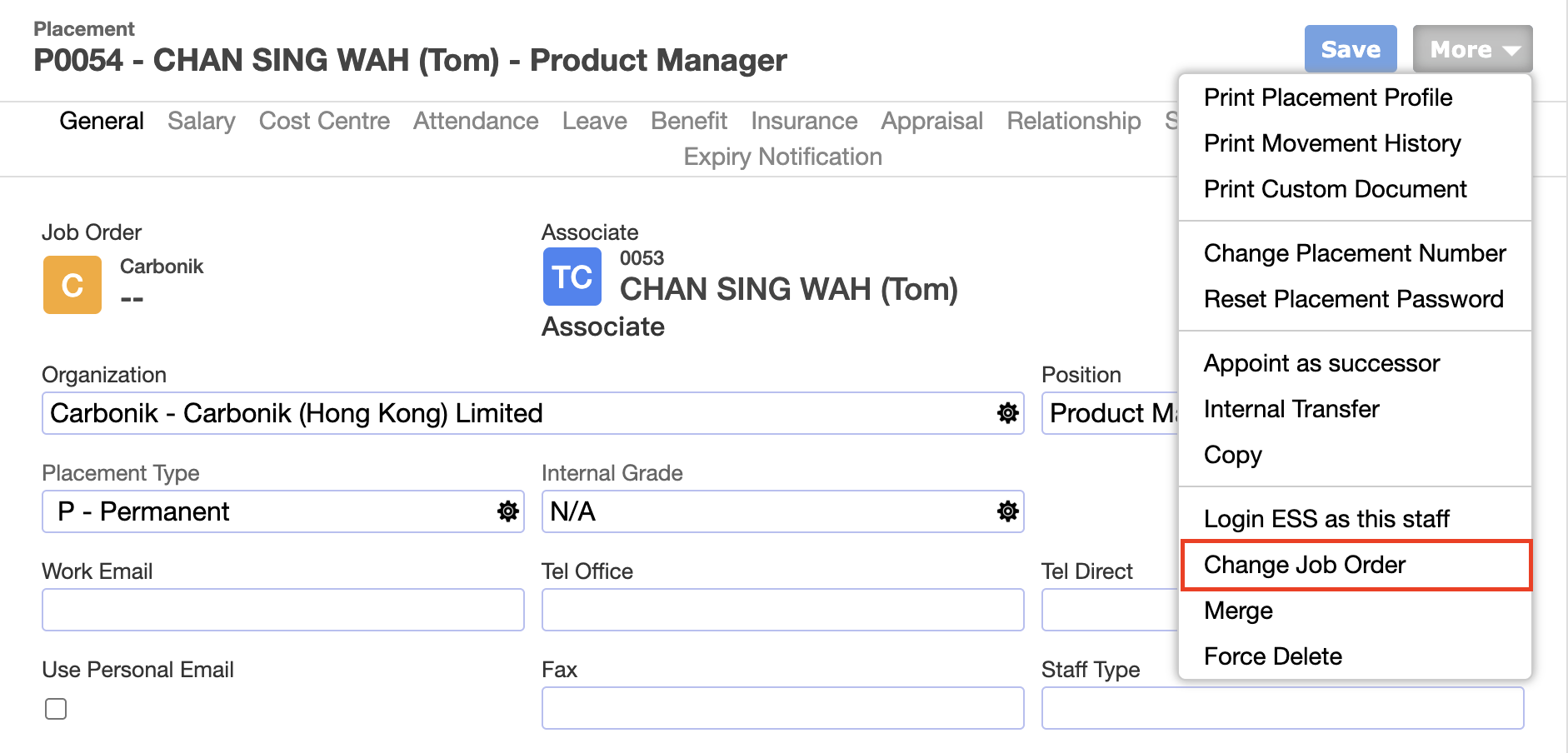
This is an ADMIN only feature that reassigns the Job Order in place without creating a new Placement. It resets all movements' Organization to the new Job Order's top-level Client company.
- Go to Associate -> Placement -> open the Placement profile -> More -> Change Job Order
- Select the new Job Order -> Save
After using Change Job Order
- All existing movements' Organization/Department will be reset to the new Job Order's Parent Organization. You need to update the Department manually via Movement if needed.
- The new Job Order cannot be the same as the existing Job Order.
What's Next?
- Check the Placement profile to confirm the Job Order and Organization are correct
- Update the Organization/Department via Movement if needed
In this page